
date_range 05.08.2026
How to close an open return ticket
Closing an open return ticket is simple and fast. Follow these 4 steps:
Step 1:
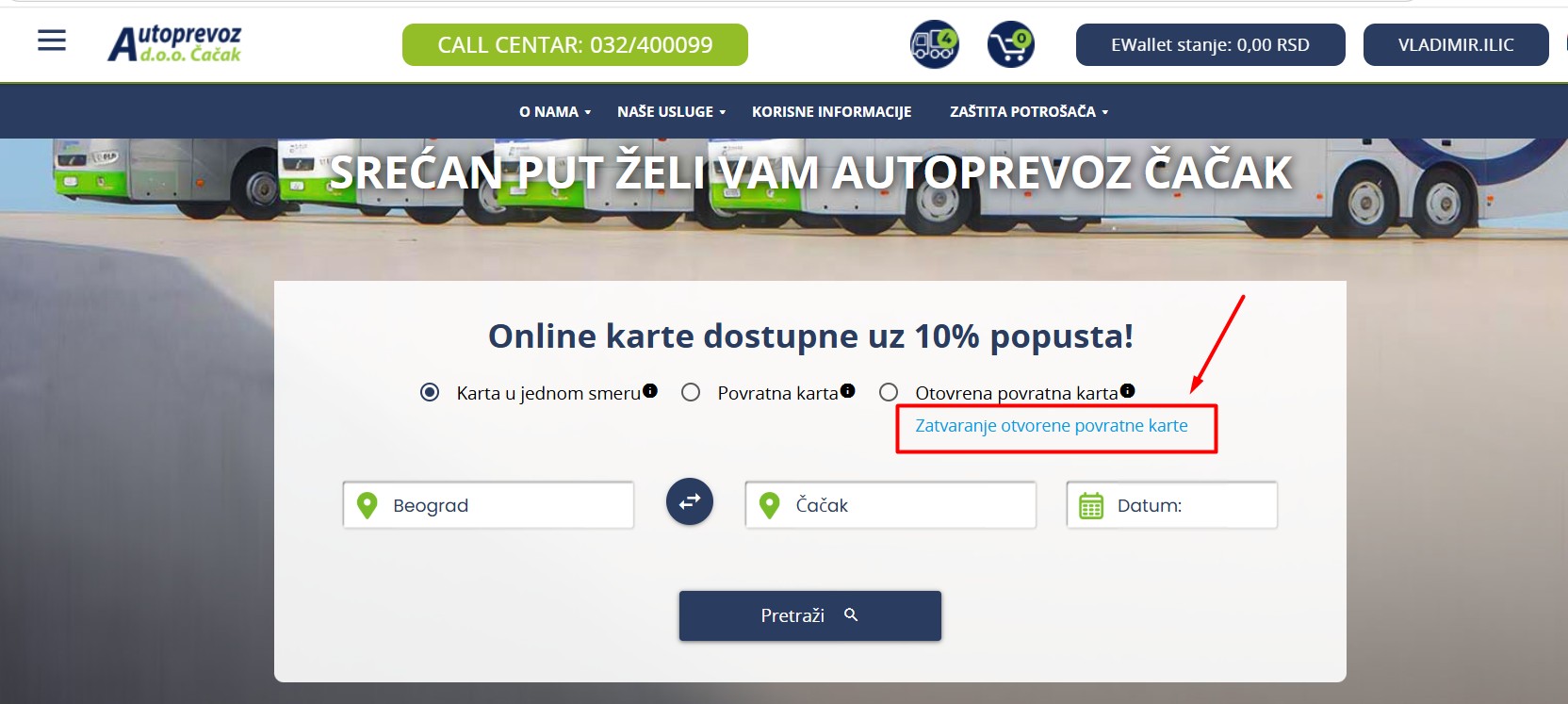
On the search form, click the link – Close an open return ticket
Step 2: Login or data entry
• If you have a registered account, all tickets you can close will automatically be displayed.
• If you are not registered, you have two options:
• Register with the email used when purchasing the ticket.
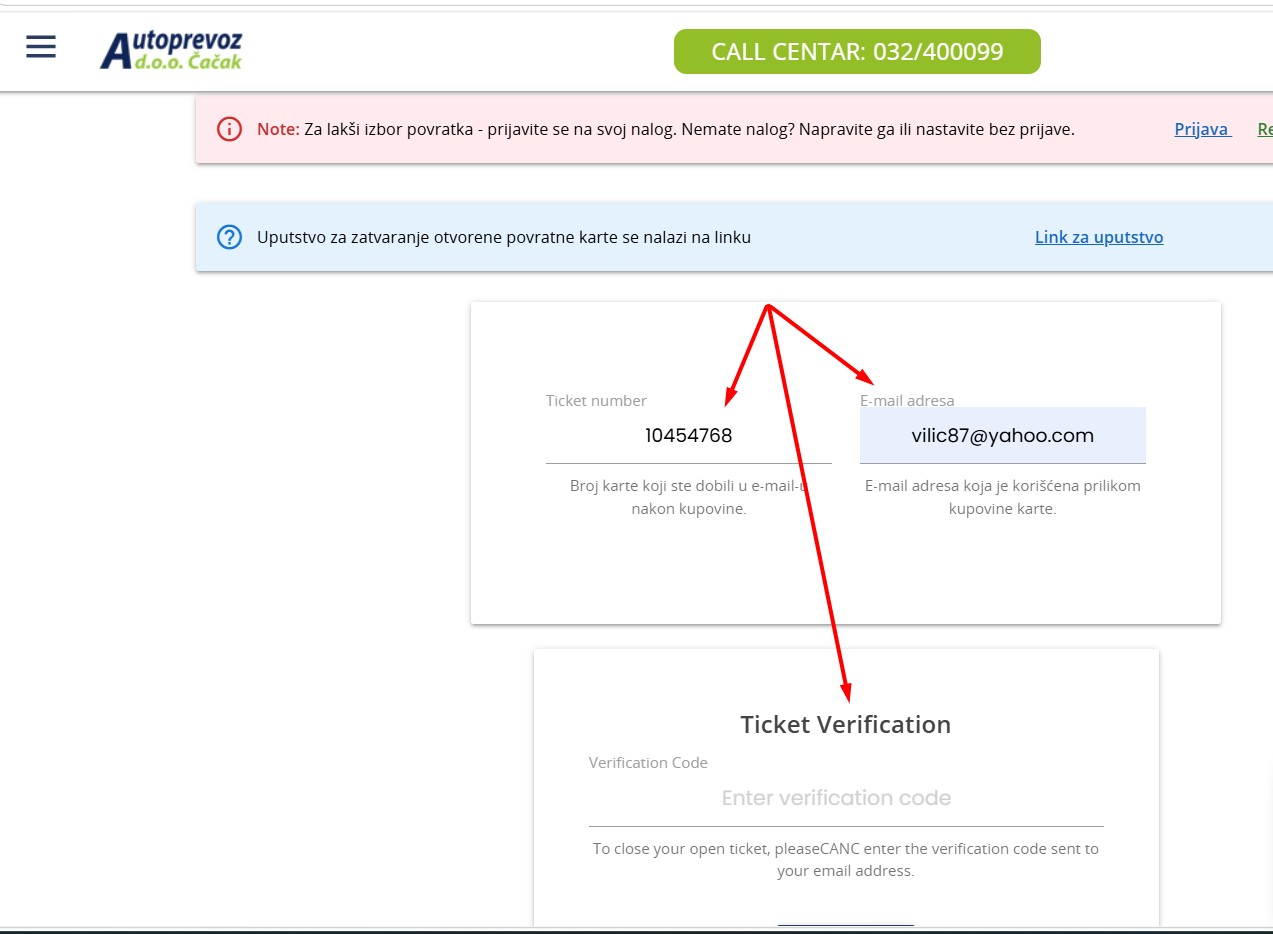
• Or continue without registration — enter:
• The email address used when purchasing the ticket.
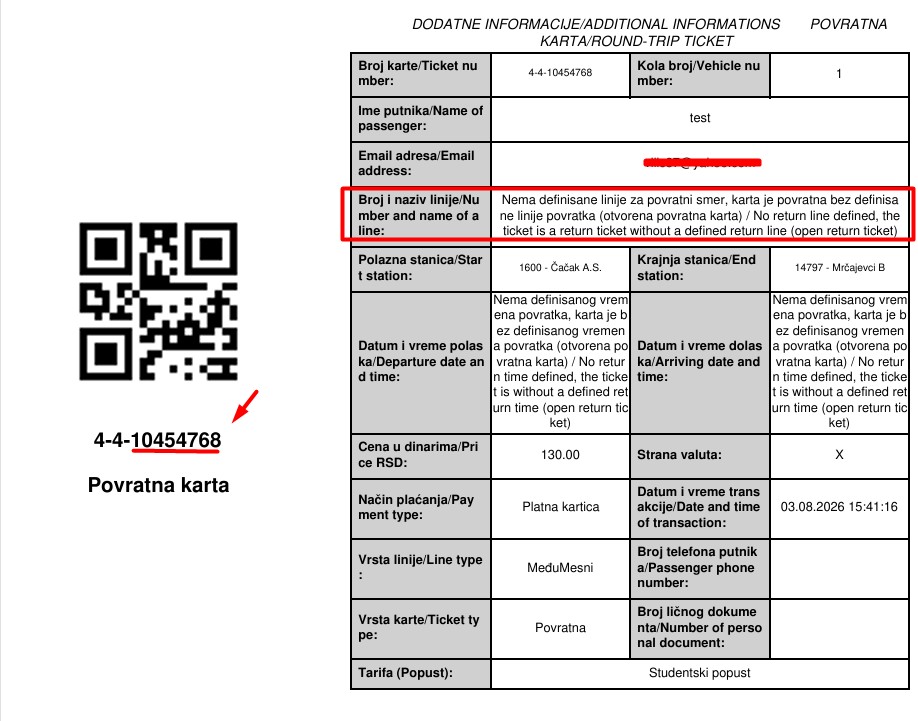
• The return ticket number (enter only the part after the second dash and make sure not to enter the ticket number for the first direction of travel).
• A verification code will be sent to the entered email, which you need to enter into the designated field.
Step 3: Choosing the return date and time
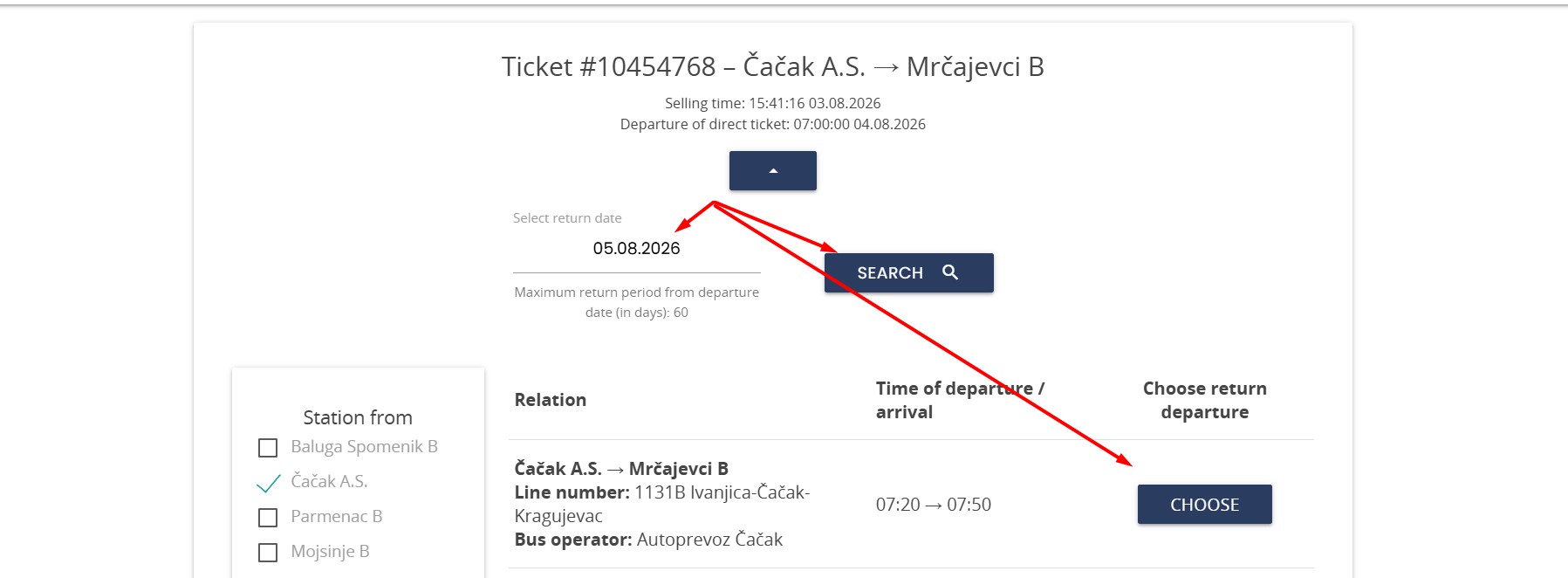
• After verification, you will see the ticket for which you can select the return time.
• First, you select the return date (the ticket is valid for 60 days from the date of the first journey).
• After that, you select the exact departure time and confirm your choice.
Step 4: Confirmation and email notification
• You will receive a confirmation email with all the details about your return journey.
Done! Have a safe trip!